How to Redesign a Website to the Same URL
- Log into CPanel and click Domains
- Click Create New Domain
- Type in redesign.url.com in the first field
- Click Submit
- Go to Softaculous to clone the install you want on edit for the new URL
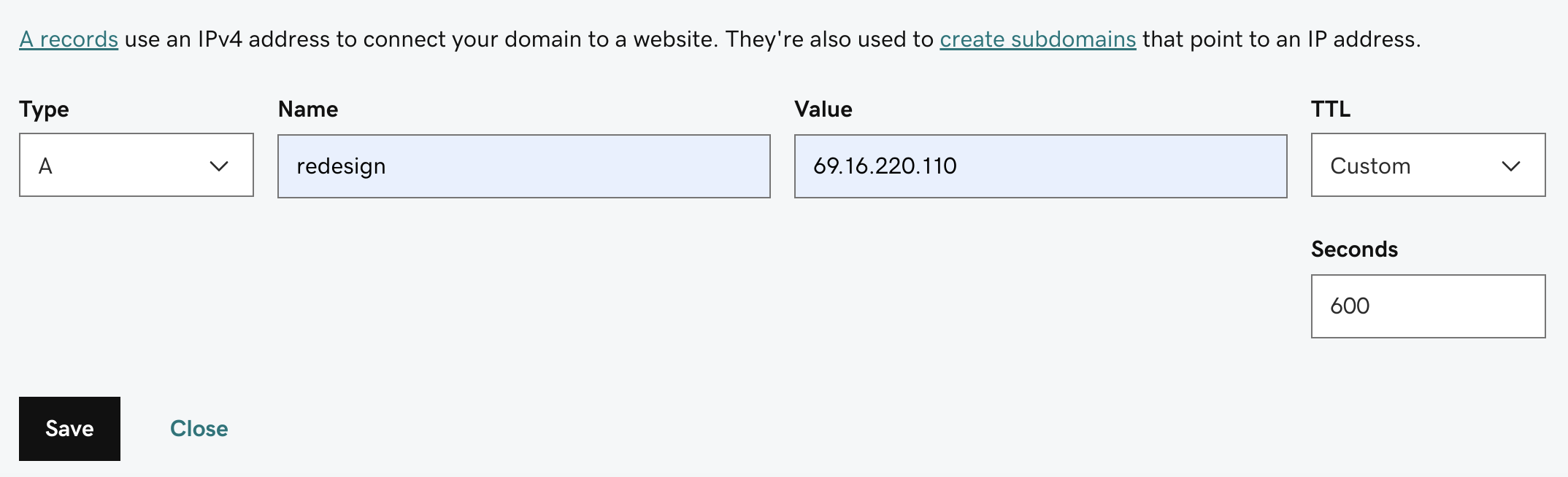
- Go to GoDaddy and add a new A Record. Name should be redesign (screenshot below):
- Once the redesign is ready to go live, go back to add-on domains and edit the document root of the domain you want the redesign to go live on and replace with redesign.domainname.com – replace domainname with actual website url
- Edit the URL’s in the wp-config file to point to the actual domain instead of the redesign url